
STUDENT- AUGUST BREAKFAST/ LUNCH ORDER FORM
Posted Date: 08/17/26 (01:20 PM)
NEW IN SEPTEMBER: GRAB AND GO SALADS!
Breakfast $2.95 Lunch $4.75
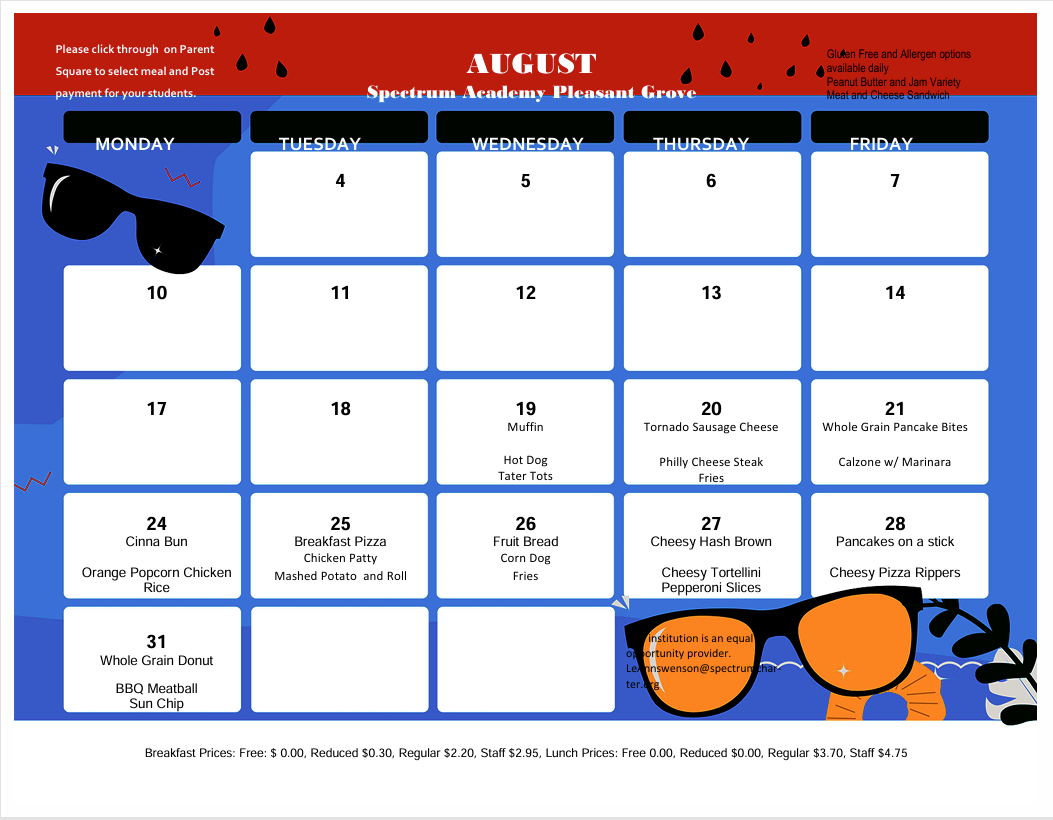 Lunch Tips and Reminders: ParentSquare does NOT keep a running balance of student lunch accounts. Before ordering each month, please make sure to check the lunch account balance in Aspire and adjust your payment amount as needed to cover any negative balance. Below are the steps to check your lunches received and payment history:
- Go to the Aspire login page and enter your credentials. (https://spectrum.usoe-dcs.org/Login.aspx)
- Navigate to the lunch account tab on the right hand side of the screen. Here you can check your current balance (it will be green if you have a credit on the account, and red if you are in a deficit.)
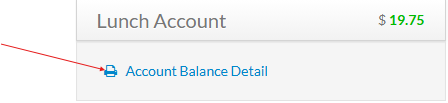
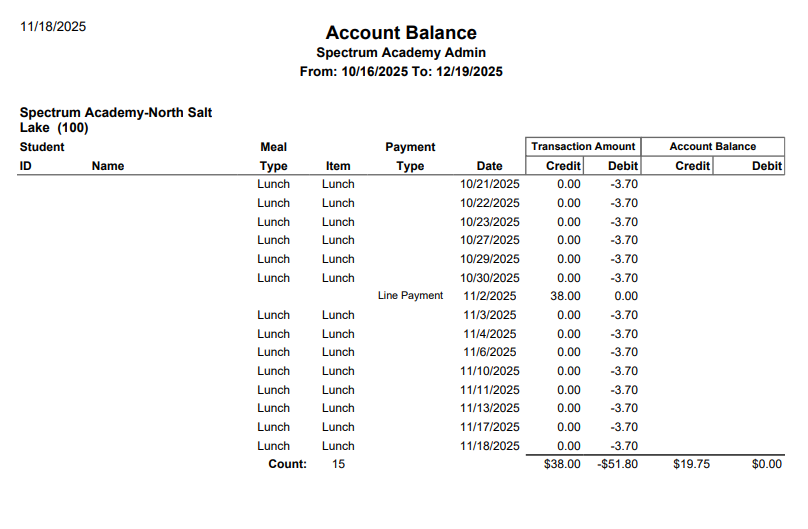
- To see payment history and lunches taken, click the hyper link labeled "Account Balance Detail"
- The following page will pull up detailing all current year activity for your student.
Please comment any other questions you may have below and we will be sure to get back to you promptly!